

YouTube SEO Checklist 2026: 25 Steps to Optimize Every Video
Use this 25-step YouTube SEO checklist to optimize keywords, titles, thumbnails, descriptions, retention, publishing, and post-publish performance.
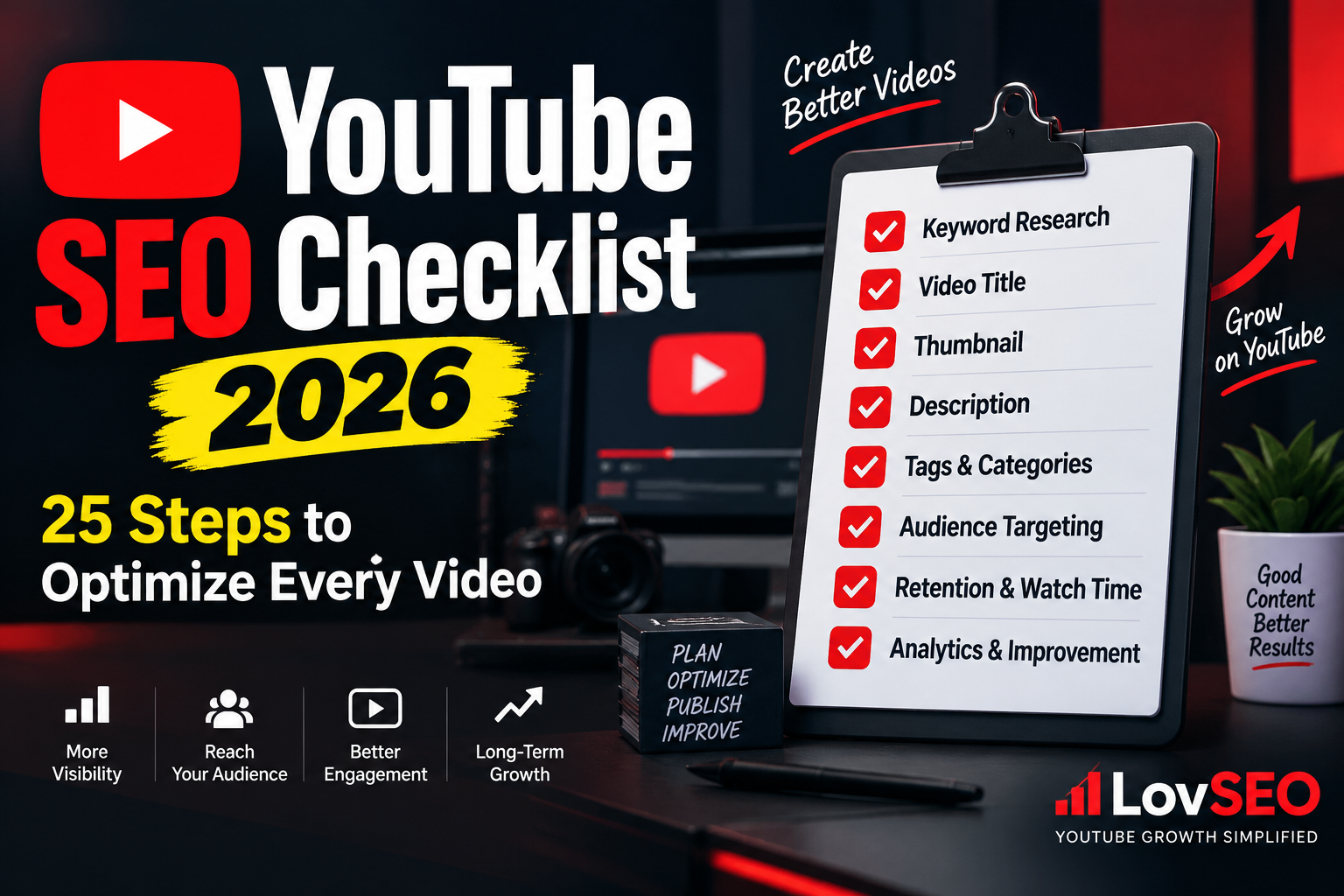
Publishing a YouTube video is easy. Publishing a video that is properly optimized for search, discovery, clicks, watch time, and long-term growth takes more work.
This YouTube SEO checklist gives you a repeatable 25-step process you can use before, during, and after publishing every video. Instead of trying to remember keywords, titles, thumbnails, descriptions, chapters, retention, and analytics separately, you can work through the checklist in order.
The goal is not to stuff keywords everywhere. YouTube SEO works best when search relevance and viewer satisfaction support each other. Your video needs to help YouTube understand the topic while also giving real people a strong reason to click and keep watching.
If you want the deeper strategy behind these steps, start with our complete YouTube SEO guide. Then use this checklist as your practical publishing routine.
YouTube SEO Checklist: Quick Overview
Here are the 25 steps we will cover:
- Define the main topic of the video.
- Understand the viewer's search intent.
- Choose one primary keyword or topic phrase.
- Research related keywords and questions.
- Check competing videos in the search results.
- Make sure the video delivers what the topic promises.
- Create a strong opening hook.
- Use the main topic naturally in the video.
- Choose an accurate video file name.
- Write an optimized YouTube title.
- Create a thumbnail designed for humans, not algorithms.
- Make the title and thumbnail work together.
- Write a useful video description.
- Add relevant supporting keywords naturally.
- Add useful video chapters.
- Choose relevant hashtags carefully.
- Add focused YouTube tags where useful.
- Select the correct category and video settings.
- Add subtitles or accurate captions.
- Add end screens and relevant internal video links.
- Use cards only when they help the viewer.
- Complete a final pre-publish review.
- Publish when your audience can realistically respond.
- Monitor performance after publishing.
- Improve weak videos using real performance data.
Before You Create the Video
1. Define the Main Topic
Start with one clear topic. A video that tries to answer five unrelated questions can become difficult for both viewers and YouTube to understand.
Ask yourself one simple question: What should a viewer learn, solve, discover, or accomplish after watching this video?
Your answer should be specific. “YouTube tips” is broad. “How to write a YouTube video description” is much clearer.
2. Understand Search Intent
A keyword alone does not tell you everything. You also need to understand what the person searching for that phrase actually wants.
Someone searching “YouTube thumbnail size” probably wants a fast, specific answer. Someone searching “how to grow a YouTube channel” may expect a much more detailed guide.
Your video format, depth, title, thumbnail, and opening should match that intent.
3. Choose One Primary Keyword or Topic Phrase
Select a primary phrase that accurately describes the video. This gives your optimization a central direction without turning the page into keyword soup, one of humanity's less appetizing SEO inventions.
Use LovSEO Keyword Research to explore relevant terms and ideas around your topic.
The best target is not automatically the keyword with the largest apparent search volume. Relevance to your actual video and audience matters more.
4. Research Related Keywords and Questions
Find related phrases, variations, and questions people may use when looking for the same information.
These can help you build sections of the video, improve the description, create chapters, and answer related viewer questions naturally.
Do not force every variation into the title. One clear title is considerably more readable than a sentence constructed by a malfunctioning keyword database.
5. Review the Existing Search Results
Search YouTube for your topic and study the videos that currently appear. Look at their angles, titles, thumbnails, formats, age, and the questions they address.
The purpose is not to copy them. You are looking for clues about what viewers expect and opportunities to make your own video more useful, clearer, newer, easier to understand, or more focused.
Optimize the Video Content
6. Deliver What the Topic Promises
SEO cannot rescue a video that does not satisfy the reason someone clicked it.
If your title promises a tutorial, give viewers the tutorial. If it promises a comparison, make the comparison clear. If it promises an answer, do not bury the answer beneath several minutes of unrelated introduction.
Search optimization can help a video get discovered, but viewer satisfaction helps determine what happens after discovery.
7. Create a Strong Opening Hook
The beginning of your video should quickly confirm that the viewer reached the right place.
Explain what they are going to get, establish why the video is relevant, and begin delivering value without an unnecessarily long introduction.
For help developing stronger openings, use the LovSEO Hook Lab.
8. Use Your Main Topic Naturally in the Video
Speak naturally about the subject. You do not need to repeat the exact keyword every few sentences.
Clear language helps viewers understand the content and gives the video consistent topical context. Focus on explaining the subject well rather than performing awkward keyword gymnastics for a machine.
If you plan videos from a script, the LovSEO Script Generator can help structure the content around the topic.
9. Use a Descriptive Video File Name
Before uploading, use a descriptive file name instead of something meaningless such as VID_008472_FINAL_FINAL2.mp4.
For this article's topic, for example:
youtube-seo-checklist-2026.mp4
This is a small organizational step. Do not treat the file name as some secret ranking weapon. The important work remains the content, packaging, metadata, and viewer response.
Optimize Your YouTube Title and Thumbnail
10. Write an Optimized Video Title
Your title should accurately describe the video while giving the intended viewer a reason to click.
A useful title normally balances three things:
- Topic clarity
- Search relevance
- Viewer appeal
Where natural, place the main topic toward the beginning of the title. Do not sacrifice readability simply to move a keyword three words to the left.
You can generate and compare ideas with the LovSEO Title Generator.
11. Create a Strong Thumbnail
Your thumbnail has a different job from your metadata. It needs to communicate visually and earn attention from the right viewer.
Keep the main idea easy to recognize, especially on a phone screen. Avoid filling every available pixel with tiny text, arrows, icons, explosions, and seven separate emotional emergencies.
Use the LovSEO Thumbnail tools when developing thumbnail ideas.
12. Make the Title and Thumbnail Work Together
Do not make the thumbnail simply repeat the entire title.
The title can explain the topic while the thumbnail adds visual context, curiosity, a result, a problem, or another complementary message.
Most importantly, both should accurately represent the video. A click gained through a misleading promise is not particularly useful if the viewer immediately leaves.
Optimize the Description and Metadata
13. Write a Useful YouTube Description
Your description should help viewers understand what the video contains.
Start with a clear summary of the video. Include your primary topic naturally and add useful supporting information, resources, links, or timestamps where appropriate.
Avoid dumping a giant block of repeated keywords into the description. It is unpleasant for viewers and does not turn weak content into strong SEO.
The LovSEO Description Generator can help create a structured starting point.
14. Add Related Terms Naturally
Your description can include related phrases when they genuinely describe sections or ideas covered by the video.
For a video about YouTube SEO, related concepts might include keyword research, video titles, thumbnails, descriptions, audience retention, YouTube Search, and analytics.
The purpose is comprehensive topical coverage, not repetition.
15. Add Video Chapters
Chapters make longer videos easier to navigate and help viewers find the sections they care about.
Use clear chapter labels that describe what each section contains. Good chapter names can also reinforce the structure and topical depth of the video.
LovSEO's Chapter Editor can help organize chapter information.
16. Use Relevant Hashtags Carefully
Add hashtags only when they are genuinely relevant to the video. More hashtags do not automatically mean more visibility.
Choose focused terms connected to the subject rather than attaching every vaguely related trending phrase you can find.
Use the LovSEO Hashtag tools to develop relevant options.
17. Add Focused YouTube Tags
Tags can provide additional context, including useful variations, alternative spellings, and closely related terminology.
They should be treated as a supporting metadata element rather than the foundation of your YouTube strategy.
Use the LovSEO Tag tools to organize focused tag ideas without turning the field into a dictionary.
18. Check Category and Video Settings
Select the appropriate category and review all relevant publishing settings before the video goes live.
Also check visibility, audience settings, language, playlist placement, recording information where relevant, and any other options that apply to the video.
A technically excellent title cannot compensate for accidentally leaving a video private. Humans have found surprisingly creative ways to optimize content nobody can see.
Accessibility and Viewer Navigation
19. Add Accurate Captions
Review automatic captions when available or upload accurate subtitles when appropriate.
Captions improve accessibility and can make videos easier to follow in situations where viewers cannot clearly hear the audio.
Names, technical terms, brands, and unusual words deserve particular attention because automatic transcription can misunderstand them.
20. Add End Screens
Do not let a good video end with nowhere for the viewer to go.
Use an end screen to recommend another relevant video, playlist, or subscription action when it makes sense.
The next recommendation should follow naturally from what the viewer just watched. This can help turn one successful viewing session into additional engagement with your channel.
LovSEO's Related Video Manager can help you think about these connections across your content.
21. Add Cards When They Are Actually Useful
Cards can direct viewers toward related content or information, but unnecessary cards can become distractions.
Add them where the recommendation supports the viewer's current experience rather than simply because the feature exists.
Before You Hit Publish
22. Complete a Final Pre-Publish Review
Before publishing, inspect the video as though you were the viewer seeing it for the first time.
- Is the topic immediately clear?
- Does the title accurately describe the video?
- Is the thumbnail readable on a small screen?
- Does the description summarize the content?
- Are chapters and links correct?
- Are captions reasonable?
- Are end screens configured?
- Are the audience and visibility settings correct?
For a repeatable workflow, use the LovSEO Publish Checklist.
23. Choose a Sensible Publishing Time
There is no universal magic hour that guarantees YouTube views.
If your channel has enough audience data, review when your viewers are active and use that information when scheduling uploads. Also consider time zones, the type of content, and whether you want to be available to respond to early comments.
Consistency can be useful, but publishing a strong video matters more than delaying it endlessly while hunting for a mythical perfect minute.
After Publishing
24. Monitor Performance
Do not consider SEO finished the moment you press Publish.
Watch how the video performs over time. Useful signals can include impressions, click-through behavior, watch time, audience retention, traffic sources, search terms, engagement, and subscriber response.
Different metrics answer different questions. Low impressions are not the same problem as strong impressions with weak clicks, and weak clicks are not the same problem as viewers clicking but leaving quickly.
Use LovSEO Rank Tracker for search-position monitoring where appropriate, and review your YouTube Analytics for the broader performance picture.
25. Improve Weak Videos Using Real Data
If a video underperforms, diagnose the likely problem before changing everything.
If it receives impressions but few viewers choose it, review the title, thumbnail, and topic presentation. If viewers click but leave early, examine the opening and whether the content delivers the promise. If the video receives little search discovery, revisit topic relevance, search intent, metadata, and competition.
Our guide on why YouTube videos are not getting views provides a deeper diagnostic process.
You can also run a broader review with the LovSEO Channel Audit and use the SEO Optimizer when evaluating optimization opportunities.
Complete YouTube SEO Checklist Before Publishing
Here is a condensed version you can use before every upload:
- ☐ Clear video topic
- ☐ Search intent identified
- ☐ Primary keyword/topic selected
- ☐ Related keywords researched
- ☐ Search results reviewed
- ☐ Video matches the promised topic
- ☐ Strong opening hook
- ☐ Topic discussed naturally
- ☐ Descriptive video file name
- ☐ Optimized title
- ☐ Clear thumbnail
- ☐ Title and thumbnail complement each other
- ☐ Useful description
- ☐ Related terminology added naturally
- ☐ Chapters added where useful
- ☐ Relevant hashtags selected
- ☐ Focused tags added where useful
- ☐ Category and settings reviewed
- ☐ Captions checked
- ☐ End screen configured
- ☐ Cards added only where useful
- ☐ Final publishing review completed
- ☐ Publishing schedule considered
- ☐ Analytics reviewed after publishing
- ☐ Improvements based on actual performance
How LovSEO Fits Into the Checklist
A YouTube SEO workflow can involve a surprising number of small tasks. LovSEO is designed to bring many of those tasks into one workflow instead of making creators jump between disconnected processes.
Depending on what you are working on, you can use LovSEO for keyword research, title ideas, thumbnail optimization, descriptions, tags, hashtags, chapters, pre-publish checks, and rank tracking.
If you are optimizing an existing upload rather than preparing a new one, read our complete video optimization guide. For broader channel growth, see how to get more views on YouTube.
Frequently Asked Questions
What is a YouTube SEO checklist?
A YouTube SEO checklist is a repeatable set of steps for preparing and reviewing a video for search relevance, viewer appeal, accessibility, navigation, publishing, and post-publish analysis. It helps creators avoid forgetting important optimization tasks.
Do I need to complete all 25 steps for every video?
Not every step applies equally to every upload. A short video may not need chapters, for example. Use the checklist as a framework and apply the steps that make sense for the content you are publishing.
What is the most important part of YouTube SEO?
There is no single metadata field that replaces the rest of the process. Strong topic selection, relevant packaging, useful content, viewer response, and clear metadata work together. The importance of individual factors can also vary by how viewers discover a particular video.
Should I put my keyword in the YouTube title?
If the keyword accurately describes the video and fits naturally, including the main topic in the title can make the subject clearer to viewers. Avoid awkward wording or repetition purely for keyword placement.
How many keywords should I target in one YouTube video?
Start with one primary topic and use closely related terms naturally where they help describe the content. Trying to target many unrelated keywords can weaken the video's focus.
Do YouTube tags still matter?
Tags can provide supporting context and may be useful for variations or commonly misspelled terms, but they should not be treated as a substitute for a strong topic, title, thumbnail, description, and useful video.
Should I change the title or thumbnail after publishing?
You can update them when performance data or a clear presentation problem gives you a reason to test an improvement. Avoid changing elements randomly or repeatedly without understanding what problem you are trying to solve.
How quickly does YouTube SEO work?
There is no guaranteed timeline. Discovery depends on the topic, competition, audience response, search demand, channel context, and other factors. Some videos gain attention quickly while others build discovery over a longer period.
Final Thoughts
YouTube SEO is easier to manage when it becomes a process instead of a last-minute attempt to add keywords after the video is finished.
Start with the viewer and the topic. Research what people are trying to find. Create a video that genuinely satisfies that need. Package it with a clear title and thumbnail. Add useful metadata and navigation. Then review actual performance and improve based on evidence.
Use this 25-step YouTube SEO checklist for each new upload and adapt it as you learn more about your own audience. The objective is not to satisfy a checklist for its own sake. It is to build a repeatable publishing process that makes every video easier to understand, discover, watch, and improve.
For the full strategy behind this workflow, continue with the LovSEO YouTube SEO Guide.
Article Tags
Want more YouTube SEO insights?
Subscribe to our newsletter for weekly tips and strategies.
Related Articles
Join Our Newsletter
Get weekly YouTube SEO tips and strategies delivered to your inbox.